Choosing a 2 Inch TFT LCD Display in 2026 is not simply a matter of selecting the brightest screen. Size matters. So do viewing distance, touch requirements, operating temperature, and available power.
A two-inch panel may fit neatly inside a handheld meter, smart controller, medical monitor, or compact IoT device. Yet its small surface can expose design weaknesses quickly. Tiny text becomes difficult to read. Reflections can hide warning icons. A connector placed only a few millimeters off position may disrupt the entire enclosure.
This guide explains the practical factors engineers and product designers should examine before purchasing. It covers resolution, viewing angle, interface type, brightness, contrast, touch compatibility, and long-term availability. It also considers real installation conditions, such as sunlight near a window, gloves on a factory floor, or limited space behind the display.
Datasheets provide useful numbers, but they do not tell the whole story. A listed viewing angle may look impressive while colors shift noticeably from the side. A high-brightness model may also consume more power and generate extra heat. These details deserve testing, not assumptions.
Our recommendations are based on common display-selection practices and measurable specifications. Still, no single panel suits every product. Sometimes, the most balanced choice is not the sharpest or cheapest one. Careful comparison remains essential. A prototype can reveal what a spreadsheet misses.
A 2-inch TFT LCD display is a compact, active-matrix screen measured diagonally from corner to corner. Its viewing area is roughly the size of a small matchbox, depending on the aspect ratio. TFT technology uses thin-film transistors to control individual pixels, producing sharper images than basic passive-matrix panels.
A typical module includes the LCD glass, backlight, driver circuitry, and a connection interface. Common resolutions range from 240×320 to 320×240 pixels, while brightness often falls between 250 and 500 cd/m². Touch functions may be added, but they can reduce visible clarity and increase thickness. Mordor Intelligence’s TFT-LCD market analysis forecasts steady growth through 2030, supported by industrial controls, medical instruments, and portable equipment. This growth does not make every small panel suitable. Heat, viewing angle, sunlight, and cable routing still matter.
Tips: Check the active area, not only the diagonal size. Confirm the interface before ordering. SPI saves pins, but it may refresh slowly. RGB interfaces need more wiring. I also recommend testing the display inside its enclosure. A panel that looks bright on a desk may appear weak behind tinted plastic. My early mistake was trusting resolution alone. Color temperature, touch cover, and firmware settings can change the real experience.
A 2-inch TFT LCD display is a compact color screen typically measured diagonally across its active viewing area. Resolution, aspect ratio, pixel density, interface, brightness, viewing angle, and touch support are key factors when selecting a display.
The chart compares pixel counts for several commonly used resolutions in compact TFT LCD modules. Higher pixel counts can provide sharper text and graphics, while lower resolutions may reduce processing, memory, and interface bandwidth requirements.
How to Choose a 2 Inch TFT LCD Display in 2026?
For a 2-inch TFT LCD display, resolution matters, but it is not everything. A 320 × 240 panel provides clearer icons and sharper text than a 240 × 320 panel in many compact devices. Still, viewing distance changes the decision. Omdia’s 2024 Small and Medium Display Market Tracker shows continued demand for compact, high-information screens. This supports choosing pixel density carefully, not automatically selecting the highest number.
Brightness should usually reach 500–800 nits for indoor equipment near windows. Outdoor use may require more than 1,000 nits. Viewing angle also matters when the screen tilts on a handheld device. A 70-degree angle can feel narrow during real operation. Check the contrast ratio, response time, and interface together. SPI saves pins, while RGB can support faster image updates. Power consumption deserves attention. A brighter backlight can reduce battery life quickly. According to the U.S. Department of Energy, lighting efficiency strongly affects portable product energy use, although small displays are often overlooked.
Tips: Request a working sample. Test it at an angle, with gloves, and under direct light. Measure startup time and standby current. Do not trust only the datasheet. Temperature testing is also important, especially below 0°C or above 50°C. A 2-inch screen may look excellent in a laboratory, yet appear weak inside a moving vehicle. I would also question unnecessary touch functions. They add cost, reflections, and failure points. The best specification is sometimes the one removed.
| Specification | Typical 2-Inch TFT Range or Option | Why It Matters in 2026 | Recommended Selection Guidance |
|---|---|---|---|
| Display Size | Approximately 2.0 inches diagonal, measured across the active display area | Determines enclosure size, viewing comfort, and available graphic area | Confirm the active area, outline dimensions, mounting holes, and bezel clearance rather than relying only on the diagonal size |
| Common Resolution | 240 × 320 pixels, 320 × 240 pixels, or 240 × 240 pixels | Affects text sharpness, icon detail, image quality, memory use, and rendering speed | Choose 240 × 320 for portrait interfaces, 320 × 240 for landscape interfaces, and 240 × 240 for compact square layouts |
| Aspect Ratio | 4:3, 1:1, or approximately 3:2 depending on the resolution | Prevents stretched images and reduces unused screen space in the user interface | Match the display ratio to the product enclosure and the intended screen orientation |
| Active Display Area | For a 2-inch 4:3 panel, approximately 40.6 mm × 30.5 mm | Defines the actual visible region and influences pixel density and mechanical fit | Use the supplier’s mechanical drawing for exact active area, border width, and tolerance values |
| Interface | 4-wire SPI, 3-wire SPI, 8080-series parallel, or RGB interface | Determines wiring complexity, achievable frame rate, controller compatibility, and PCB space | Use SPI for compact, low-pin-count products; consider parallel or RGB when higher refresh performance is required |
| Logic Voltage | Commonly 1.8 V, 2.8 V, or 3.3 V logic; some modules include level shifting | Incorrect logic voltage can cause communication failure or permanent panel damage | Match the display controller voltage with the host processor and verify input-high and input-low thresholds |
| Brightness | Typically 200–800 cd/m²; higher-brightness versions may exceed 800 cd/m² | Higher brightness improves outdoor readability but increases LED power and heat | Select around 200–400 cd/m² for indoor products and approximately 500–800 cd/m² for bright ambient environments, subject to power limits |
| Contrast Ratio | Commonly about 500:1 to 1500:1, depending on panel technology and test conditions | Influences black-level appearance, image depth, and readability in dim environments | Compare measurements made under the same test method; do not judge contrast from the number alone |
| Viewing Angle | Approximately 60°–80° per direction for standard TN panels; up to about 80° per direction for IPS-type panels | Maintains color and contrast when the device is viewed from the side or at an angle | Choose an IPS-type panel for handheld equipment, shared displays, and products requiring consistent off-axis viewing |
| Color Depth | 16-bit color, 18-bit color, or 24-bit color input depending on the controller | Affects the number of colors, gradient smoothness, memory bandwidth, and interface requirements | Use 16-bit color for simple embedded interfaces and 18-bit or 24-bit color for richer graphics and smoother gradients |
| Refresh Rate | Typically 50–60 Hz for small embedded TFT interfaces | Affects animation smoothness, screen flicker, processor workload, and interface bandwidth | 60 Hz is generally suitable for menus, instruments, and basic animation; verify the controller and interface can sustain the target rate |
| Touch Function | No touch, resistive touch, or projected capacitive touch | Impacts user interaction, cover-lens design, glove operation, durability, and software integration | Use capacitive touch for modern gesture interfaces; consider resistive touch where gloves, moisture, or a stylus are important |
| Touch Interface | I²C or SPI for capacitive touch; analog or resistive-controller interface for resistive touch | Determines firmware effort, available microcontroller pins, and interrupt handling | Confirm the touch controller protocol, address configuration, interrupt pin, and driver support before hardware design |
| Operating Temperature | Common commercial range: 0°C to 50°C; wider options may cover approximately −20°C to 70°C | Temperature affects response time, contrast, backlight life, startup behavior, and product reliability | Choose the temperature grade according to the complete installation environment, not only the expected indoor air temperature |
| Backlight Type | White LED backlight, commonly with several LED strings or a low-current LED configuration | Determines brightness control, electrical efficiency, heat generation, and service life | Verify LED forward voltage, current, PWM dimming requirements, and whether a constant-current driver is required |
| Power Consumption | Panel electronics often require a few hundred milliwatts; backlight power varies with brightness and LED configuration | Directly affects battery life, thermal design, regulator size, and total product efficiency | Request separate typical and maximum values for logic, display driver, and backlight at the intended brightness level |
| Response Time | Commonly approximately 20–40 ms for small TFT panels, depending on measurement conditions | Controls motion blur and ghosting during animation, video, or rapidly changing instrument readings | Give priority to lower response time for moving graphics; verify rise and fall times separately when available |
| Mechanical Thickness | Often approximately 2–5 mm for the panel, with touch, cover glass, FPC, and reinforcement adding thickness | Affects enclosure depth, connector clearance, shock resistance, and assembly method | Check the full stack-up, including touch cover, adhesive, FPC bend radius, connector height, and mounting hardware |
| Surface Treatment | Glossy, anti-glare, or anti-reflective surface options | Reduces reflections and improves usability under office lighting, sunlight, or changing viewing angles | Use anti-glare for strong ambient light and confirm that the treatment does not reduce desired sharpness or contrast |
| Reliability and Availability | Check lifecycle status, estimated production continuity, quality inspection process, and sample consistency | A stable supply reduces redesign risk and supports long-term embedded-product maintenance | Request a current datasheet, qualification samples, change-notification policy, and lifecycle commitment before mass production |
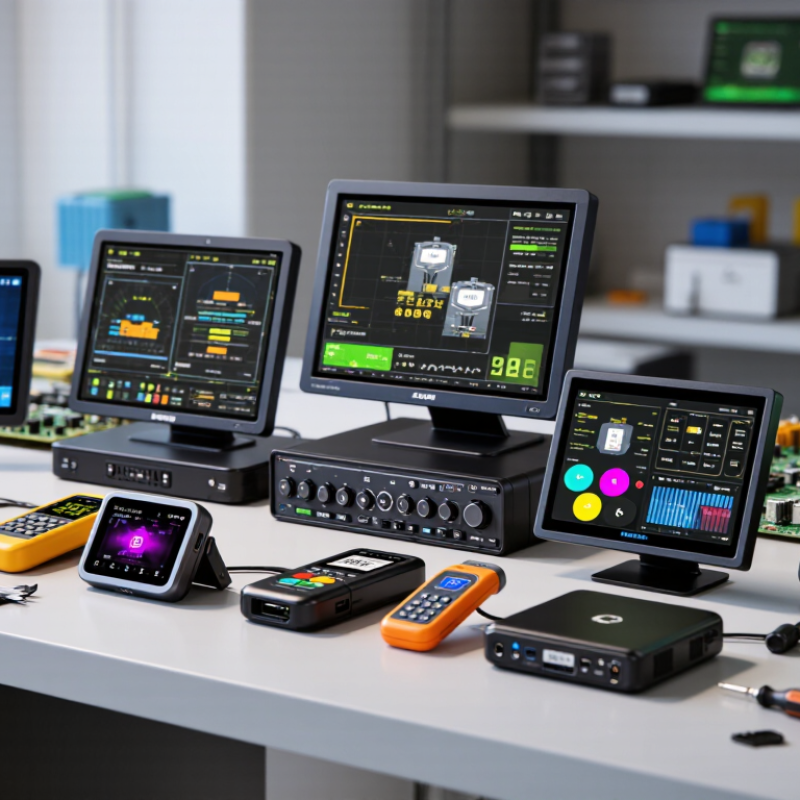
A 2 inch TFT LCD needs the right resolution for its viewing distance and software workload. For compact meters, 240 × 320 pixels often provide clear numbers, icons, and simple menus. Higher resolution can improve curved graphics, but it may increase memory use and rendering time. Check the active area, pixel density, viewing angle, and brightness under real lighting. A display that looks excellent indoors may appear weak beside a sunny window.
The interface must match your processor and wiring limits. SPI uses fewer pins and suits compact control boards, although screen updates can feel slower. Parallel RGB offers faster data transfer, but it requires more pins and careful timing. Confirm signal voltage, connector direction, frame rate, and touch-panel wiring before ordering. The controller should support your chosen resolution, color format, initialization commands, and memory layout. I have found that controller compatibility is often overlooked. Fixing it later can require a new firmware design.
Tips: Build a small test screen before final selection. Display fine text, moving bars, and two-color graphics. Measure refresh behavior with your actual cable length. Leave extra memory for fonts and error messages. Do not trust the specification sheet alone; sample quality and viewing angles can vary. If the interface seems suitable but initialization remains unclear, pause and request a complete command sequence. That small delay may prevent weeks of debugging.
How to Choose a 2 Inch TFT LCD Display in 2026?
A 2-inch TFT LCD should match the device’s real power limits, not only its size. Check the operating voltage, typical current, peak startup current, and sleep consumption. A display drawing 150 mA may overheat a small battery regulator. Measure it during white-screen operation, because this often reveals the practical load. My early tests focused too much on average current. That was a mistake.
Touch performance depends on the user’s environment. Resistive touch works well with gloves and styluses, while capacitive touch usually feels smoother. Test both with dry fingers and light pressure. Check touch accuracy near the corners. A small screen can make a two-millimeter error feel surprisingly large. Keep the interface simple.
Brightness needs context. Indoor projects may work at 300 nits, but outdoor viewing often needs 800 nits or more. Higher brightness can increase heat and battery drain. Check whether the backlight supports adjustable levels. Viewing performance also includes contrast, color stability, and viewing angle. Do not trust only the specification sheet. Compare the screen at tilted angles and under direct light.
Tips: Request a working sample before production. Display black, white, red, and skin-tone images. Watch for flicker, slow response, and uneven backlight. Record power readings at minimum and maximum brightness. Also test the touch panel while the display is charging. Real hardware can disagree with the datasheet.
Choosing a 2 Inch TFT LCD Display in 2026 requires more than matching the diagonal size. Confirm the active area, outline dimensions, viewing direction, pixel format, interface, connector pitch, and mounting holes. A 2-inch panel can still fail mechanically. Check the controller, initialization sequence, logic voltage, backlight current, and cable length with your existing board. Ask for an actual sample.
Reliability needs measurable evidence. Request temperature-cycle results under IEC 60068-2-14 and damp-heat testing under IEC 60068-2-78. Review brightness retention, dead-pixel limits, contrast variation, and backlight lifetime at the intended temperature. JEDEC JESD22 methods can also support component-level stress evaluation, but they do not guarantee the complete display assembly. That distinction matters. A datasheet is not a test report.
Long-term availability deserves equal attention. The 2024 Global E-waste Monitor, published by ITU and UNITAR, reported 62 million tonnes of electronic waste in 2022, with only 22.3% formally collected and recycled. Design teams should therefore request a last-time-buy policy, change-notification process, production-site details, and a three-year supply statement. Confirm whether the glass, driver IC, backlight, and connector have qualified alternatives. Keep two approved samples from different production lots. I once treated a “compatible” replacement as identical; the cable matched, but the optical performance did not. Leave engineering margin.